Nalanda

Ask a question, get an answer from the source. Nalanda is a learning app that answers your questions with passages from ancient texts, shown alongside their original context.

I built it on my own, from idea to App Store: the roadmap, the design, the SwiftUI and Supabase engineering, the RAG search, and the launch. I also set up the business side, from forming the LLC to writing the terms of service.

I'm also in the competition's official highlights reel.

Pitching Nalanda on stage. My full 7-minute presentation at the Santa Cruz Launchpad 2026 finals, where I advanced through the semifinals and won $500. Watch on YouTube

The deck I pitched at the finals

Open full screen

Click through the slides. The animations play just like they did on stage.

The build story

How I built Nalanda

From one book on a laptop to a library on the App Store, and the problems I had to solve along the way.

1

It started as one book

Nalanda began as a desktop app for a single book, the Bhagavad Gita. I built it in Electron so I could read a verse in Sanskrit, see it word by word, compare translations and commentaries side by side, and listen to each one. By the end of Chapter 1 it had 15 verses, 54 recorded tracks, a dictionary of the people in the text, and a notes system.
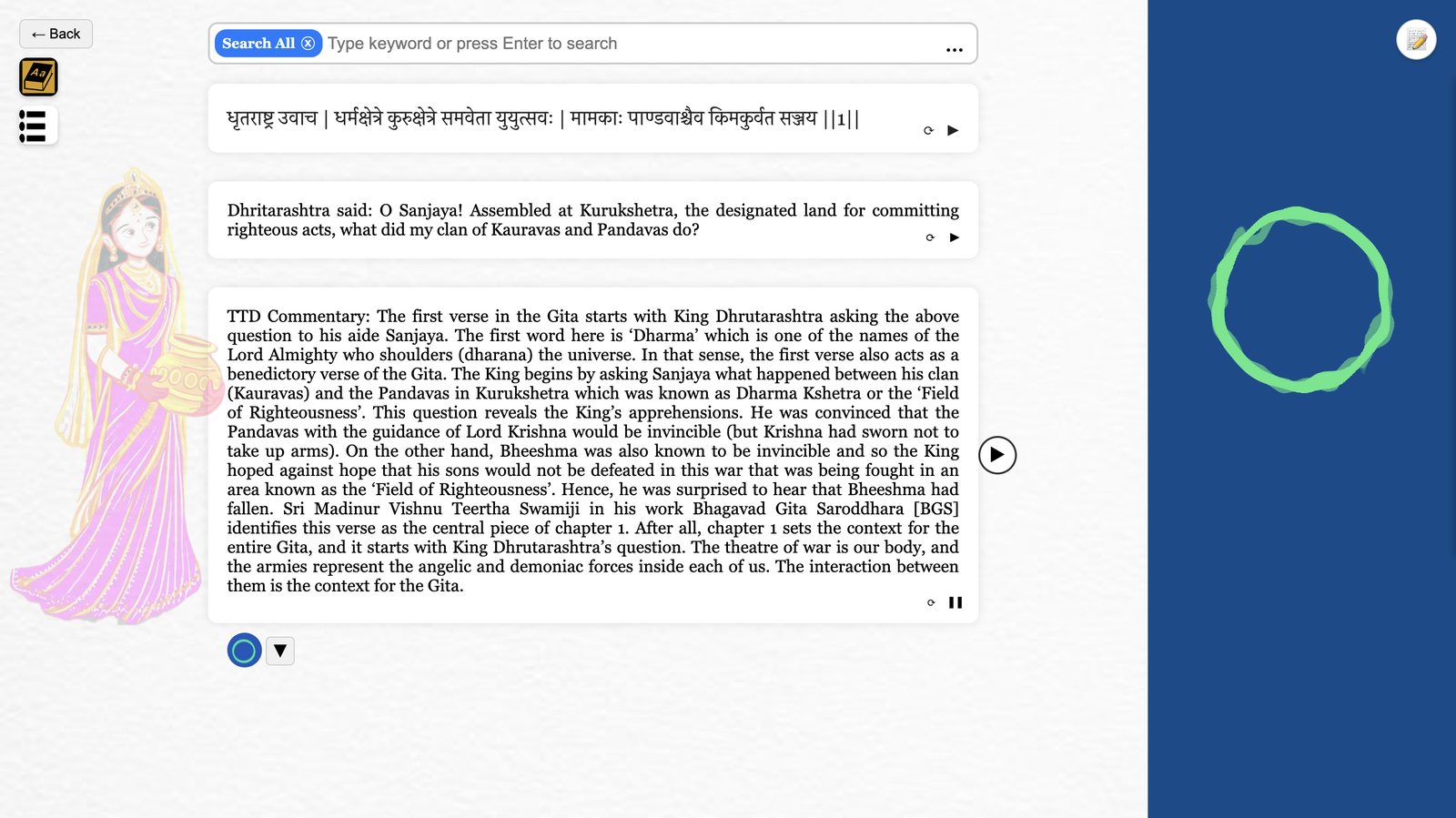
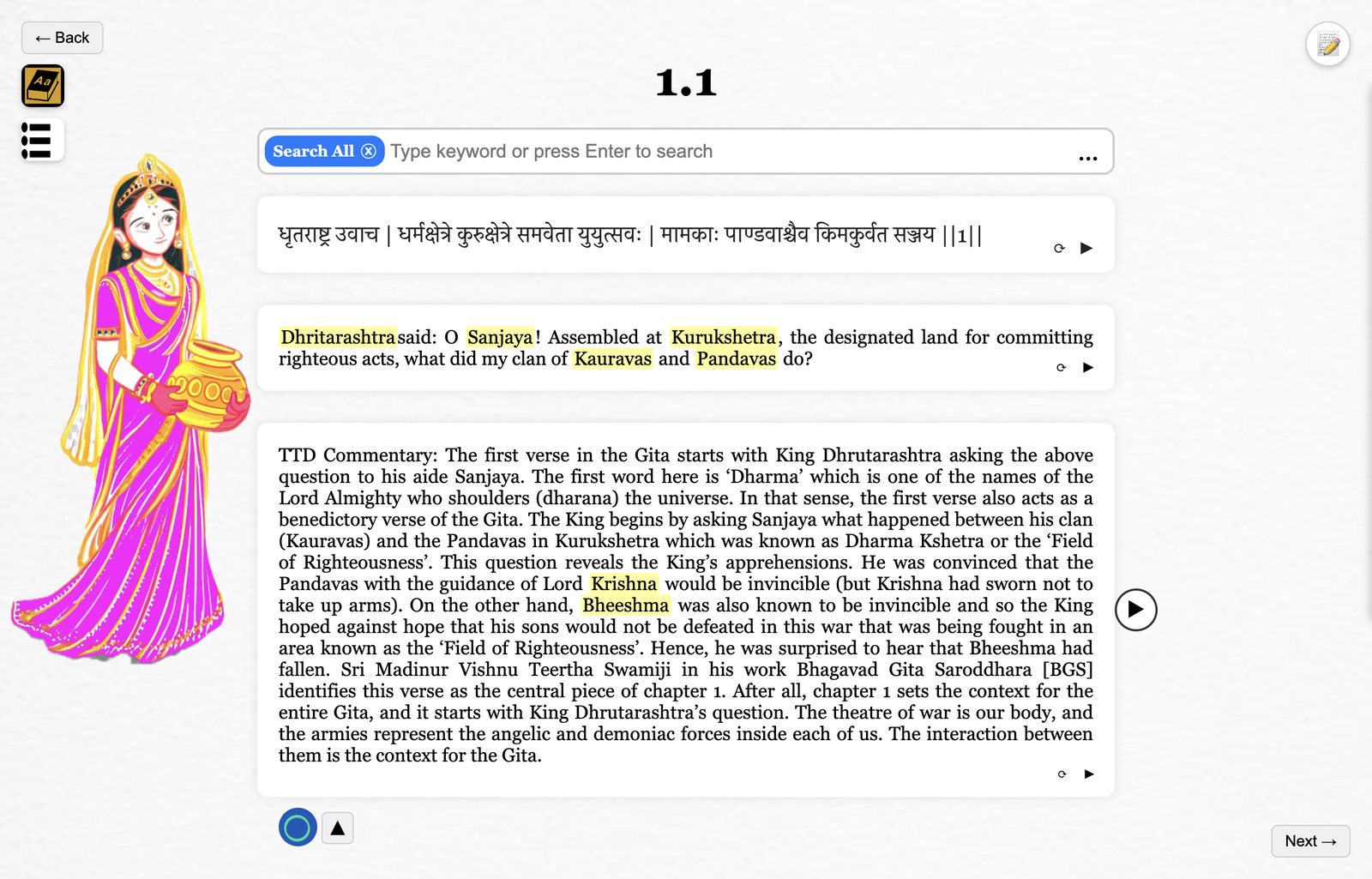
The first version of Nalanda: a desktop app reading Bhagavad Gita verse 1.1 with audio playing
Where it started. The desktop app reading verse 1.1, with the commentary playing. More about the desktop app
2

Then I saw how much was out there

While building it, I kept finding more: translations and commentaries of the Gita, the Mahabharata, and other Eastern texts, published long ago and now in the public domain. Most were sitting unused as scanned PDFs. One book was too small a scope.

To reach the most people, I also had to leave the desktop. People carry their phones everywhere, so I rebuilt Nalanda as an iPhone app in SwiftUI.

3

The hardest problem: turning old scans into text

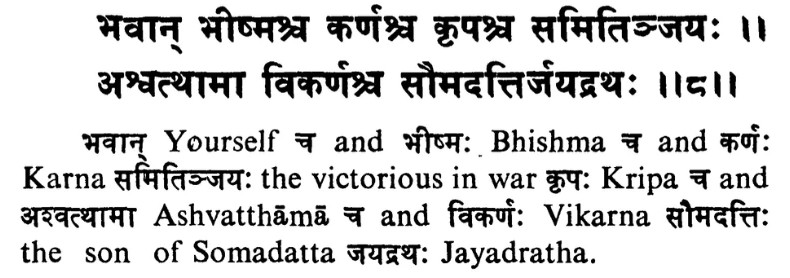
These books were printed generations ago, and the scans show it: faded type, broken letters, and stray marks. Many pages switch between Sanskrit in Devanagari script, transliteration with accent marks, and English, sometimes within a single line. When the software misreads a word, someone has to work out what it was meant to say.

I tried nearly every major OCR service out there. None could read these pages reliably.

An excerpt from a scanned book: two lines of Sanskrit verse, then a word-by-word English gloss that mixes Devanagari, transliterated names with accent marks, and English in the same lines
What OCR had to read. Two lines of Sanskrit, then a word-by-word gloss that mixes three kinds of text in every line.
4

So I built my own OCR pipeline

I got free GPU time through a student plan, which meant I could run serious AI models myself. I searched through open-source models for ones that could handle these pages, and found that no single approach worked for every book: each one needed its own pipeline, running several models over multiple rounds.

The most powerful GPUs were usually busy during the day, so I ran the jobs overnight, night after night, for weeks. That's how these books became clean, searchable text.

5

A compass, not a chatbot

With the text in hand, I wanted more than a reader. For questions this important, I didn't think an AI's paraphrase was good enough. I wanted Nalanda to work like a compass: point you to the verses and passages that speak to your question, so you can read them yourself and reach your own conclusions.

Around then I was taking vector calculus, and I wondered: if vectors can hold that much information, could they hold the meaning of text? That became Nalanda's search. The Gita was simple, with one verse to one vector. Other books aren't written in verses, so each one needed its own way of being broken up and turned into vectors.

I tested five embedding services and different vector sizes until the search returned what a careful reader would point to. The service that turns the books into vectors also has to turn every question into one, so that choice had to be right.

6

Moving the work to the cloud

At first, to keep costs down, I turned questions into vectors on the iPhone itself. It was slow, and older phones couldn't handle it, so I moved that step to the cloud.

The books moved too. Shipping them inside the app would have made it enormous and easy to pirate, so the texts live in a Supabase database instead, and the app is under 15 MB. I then tuned what to cache and when, cutting home-screen database work 30×. Questions are stored anonymously, so a question someone has asked before is answered instantly instead of being computed again. That keeps AI costs around $1 per user per month.

7

Making it yours, and making it social

Not everyone wants answers from every book, so you can choose which books the Guru searches. I added profiles, following and public playlists so people can share what they're reading, along with the moderation every social app needs: reporting, blocking, and content guidelines. A home-screen widget, daily reminders and notifications for new content bring people back.

Then came beta testing. I kept it to about half a dozen testers, who signed up through a form on nalandaguru.com, so I could act on every piece of feedback before launch.

8

Making it a business

I hired a registered agent, formed an LLC, and opened a business bank account. Then I wrote the privacy policy and terms of service, and registered a DMCA agent.

Then there was the question of payment. Apple's in-app purchases take up to 30%. As a longtime Spotify user, I knew some apps send you to their website to subscribe, and US App Store rules allow that link. So I built checkout on Stripe and tested it in Stripe's sandbox. When someone uses up their free Guru questions, Nalanda invites them to subscribe on the web.

9

Getting through App Review

Apple rejected the first submission. I emailed, I called, I fixed what they asked for, and I resubmitted. In the meantime I built nalandaguru.com. On October 3, 2026, Nalanda was approved and went live on the App Store.

I also pitched it at the Santa Cruz Launchpad startup competition, and won $500 at the finals.

iOS · Live on the App Store

Using Nalanda

Here's how a session in the iPhone app flows, from opening it to saving what you found. The screenshots are from nalandaguru.com. Click any of them to enlarge it.

Role: sole designer & developer Platform: iPhone · SwiftUI Backend: Supabase · Postgres · Edge Functions Search: RAG over digitized texts
1

Open to something worth reading

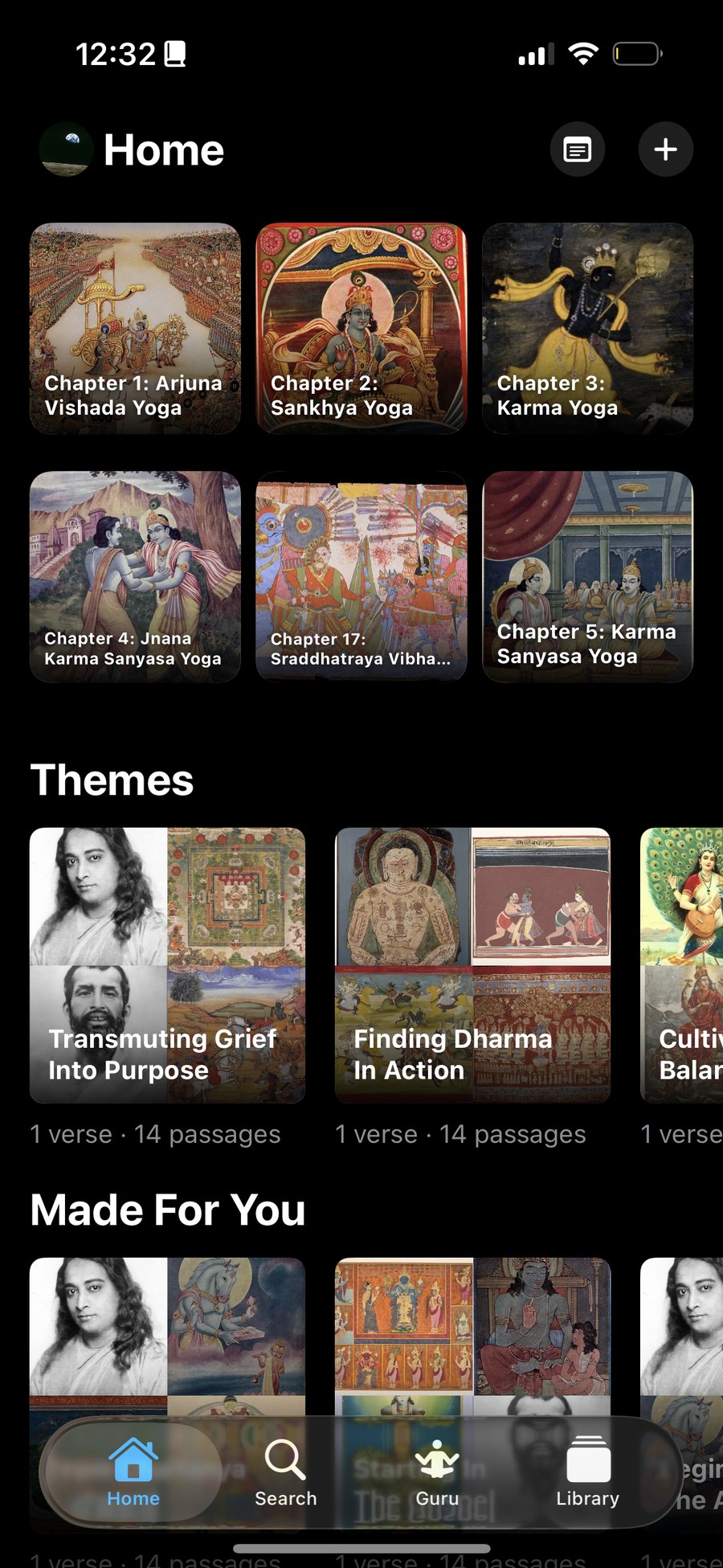
Home is built to get you reading in one tap. The top row picks up the Gita chapters, each with its own cover art. Below that, shelves suggest what to read next: collections built around themes like Transmuting Grief Into Purpose, and picks made for you based on what you've read.

Each card shows how much it holds, for example 1 verse · 14 passages.

Nalanda iPhone Home tab with Gita chapter covers, Themes and Made For You shelves
Home. Gita chapters up top, then themed collections and picks made for you.
2

Ask the Guru

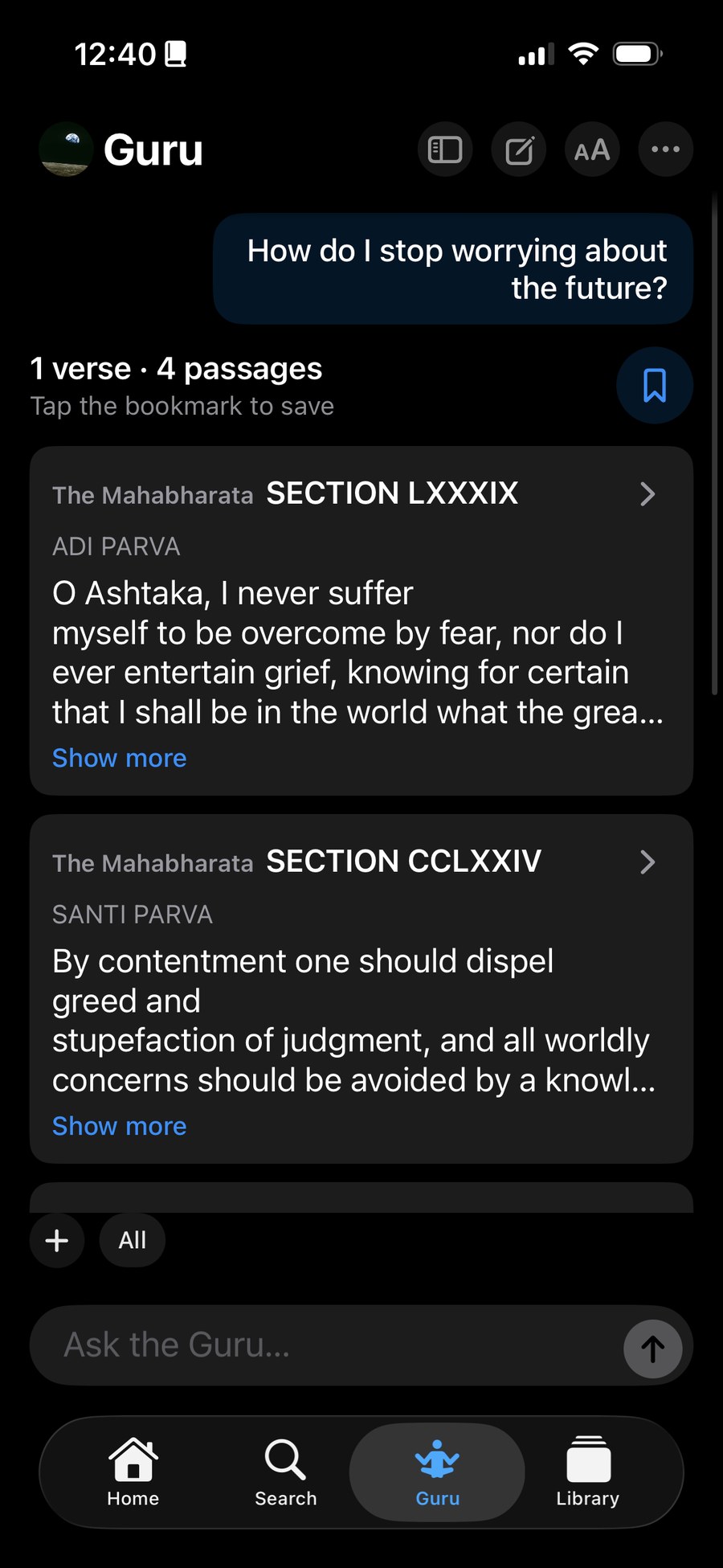
This is the heart of Nalanda. Ask a question in your own words, and the Guru answers with real passages from the source texts instead of an AI's paraphrase. Each result names the book, the section and the part it came from, so you can read it in context.

Behind it is the retrieval search I built across texts that I digitized with my own OCR pipeline. I designed it to cost about $1 in AI per user each month.

Tap the bookmark to save an answer to your Library.

Nalanda Guru answering How do I stop worrying about the future with passages from the Mahabharata
Guru. "How do I stop worrying about the future?" answered with passages from the Mahabharata's Adi and Santi Parvas.
3

Read the verse itself

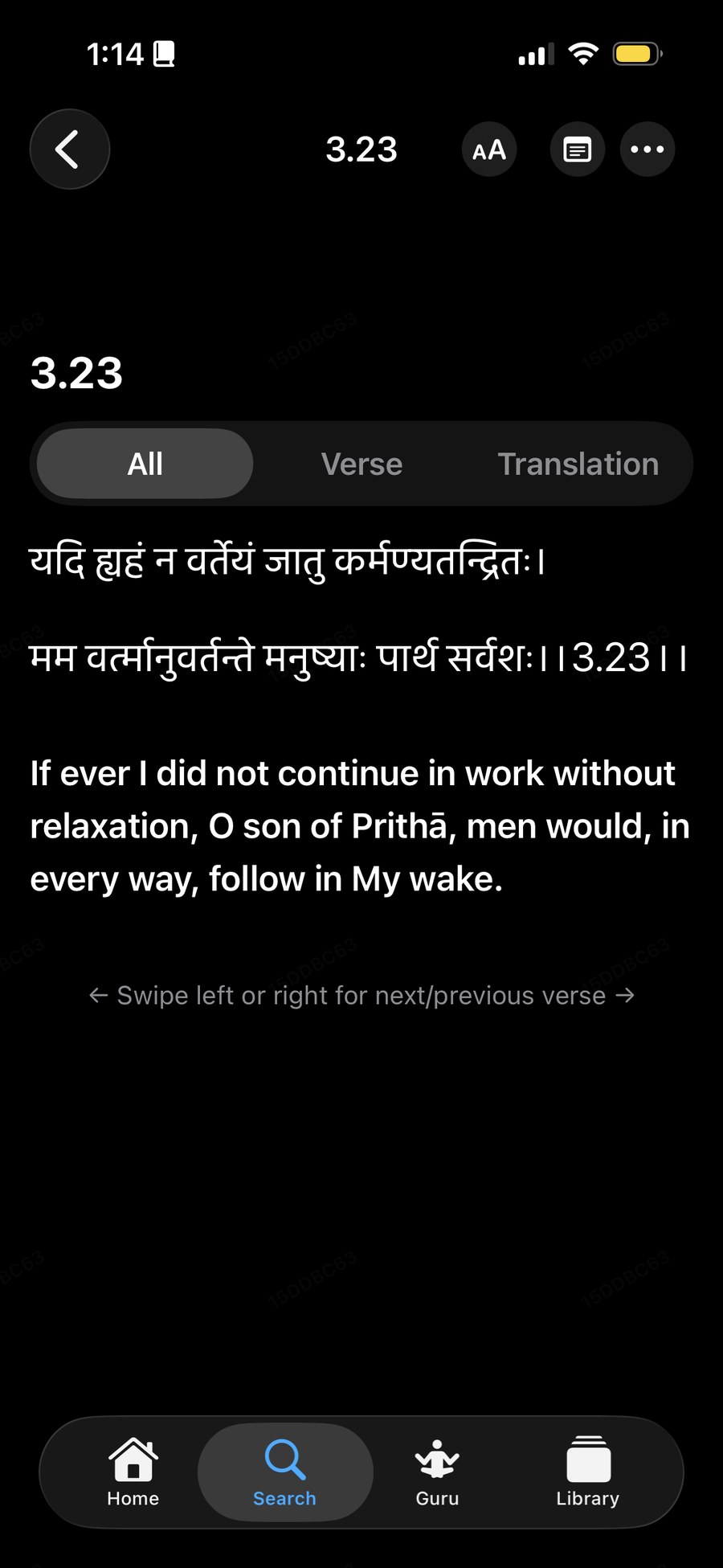
Open any verse to read it in the original Sanskrit with its English translation. The tabs switch between both together, the Sanskrit alone, or the translation alone. Swipe left or right to move through the chapter.

The Verse tab also plays the chanted recording.

Bhagavad Gita verse 3.23 in Sanskrit with its English translation
Gita reader. Verse 3.23 in Sanskrit and English.
4

Explore the library

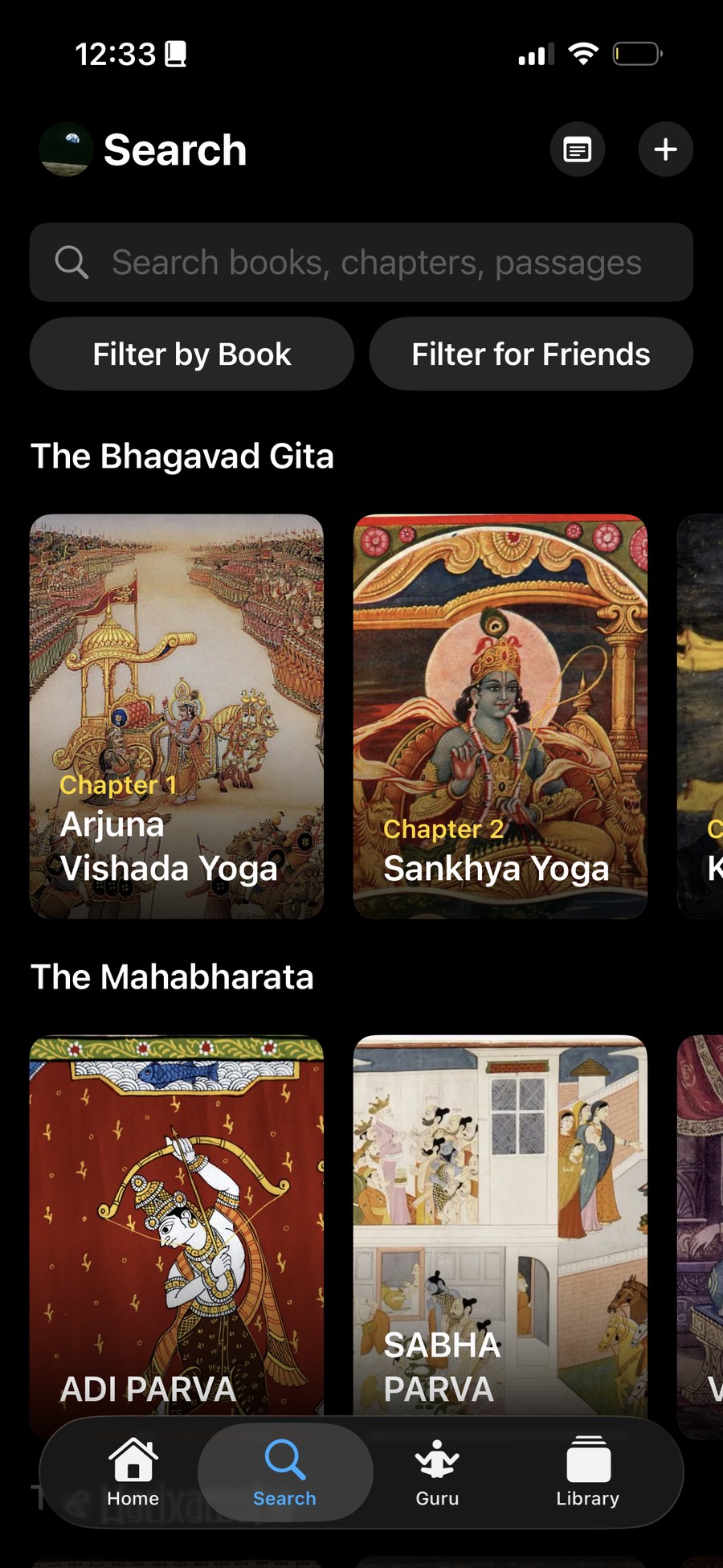
Search covers every book, chapter and passage in the app. If you'd rather browse, each book is laid out as a shelf of its parts: the Gita by chapter, and the Mahabharata by parva, each with its own artwork.

Use Filter by Book to search one text, or Filter for Friends to find people you know.

Nalanda Search tab with shelves for the Bhagavad Gita and the Mahabharata
Search. The Bhagavad Gita by chapter and the Mahabharata by parva.
5

Keep what matters to you

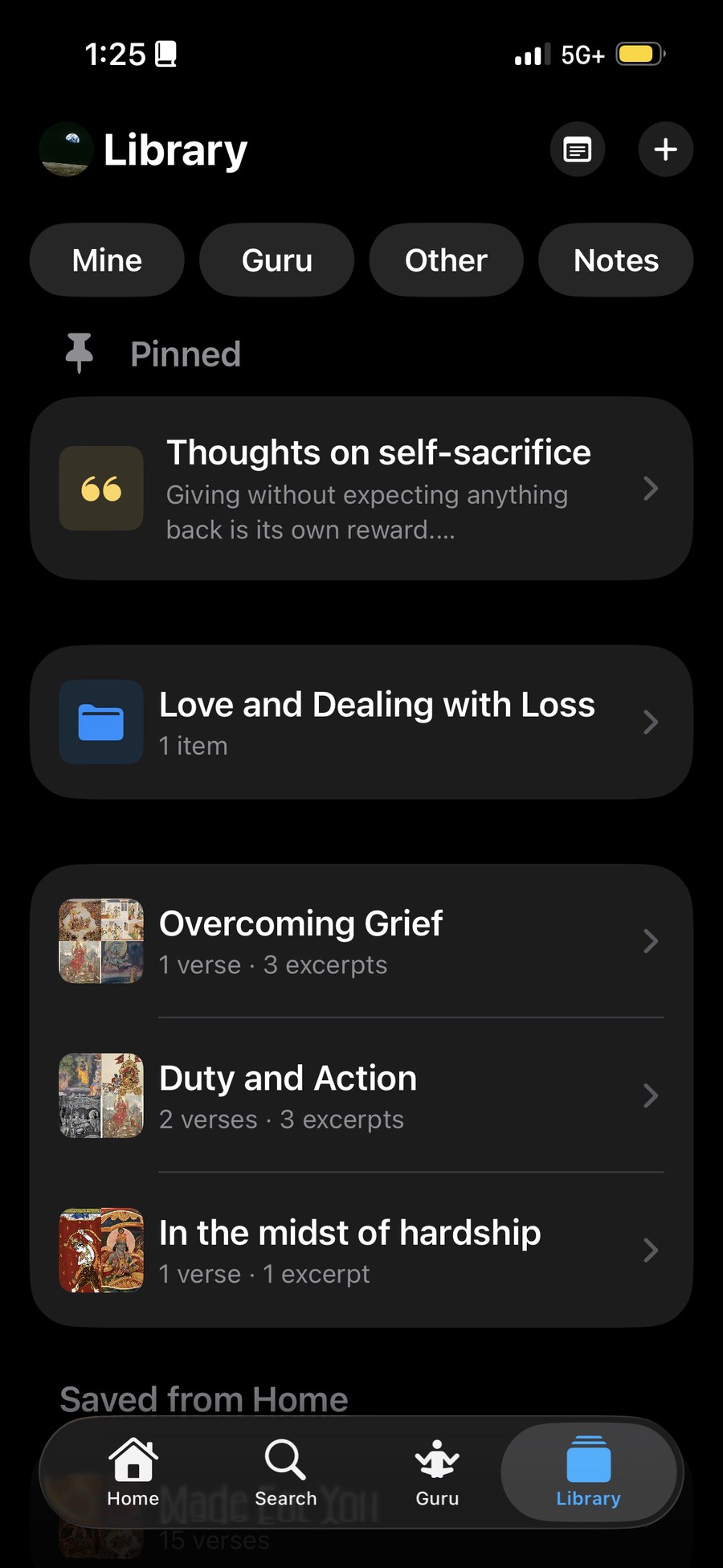
Everything you save lands in your Library: Guru answers, passages, verses and your own notes. Pin the ones you come back to, sort them into folders, and build playlists of passages around a theme, like Overcoming Grief or Duty and Action.

Filter by Mine, Guru, Other or Notes.

Nalanda Library with pinned notes, folders and saved playlists
Library. A pinned note, a folder, and playlists of saved verses and excerpts.
Beyond the iPhone

Two more versions

Alongside the iPhone app, I've built Nalanda as a native Android app, and the Bhagavad Gita desktop app where it all started.

Android · Kotlin

Bringing the iPhone app to Android

After launching Nalanda on iOS, I rebuilt it as a native Android app. It isn't a wrapper: it's a full rewrite in Kotlin and Jetpack Compose, ported from the Swift app.

The rule for the port was that the numbers come from the Swift, not from Material Design. Card sizes, drawer width, colors and the type scale were all copied from the iOS code, so the Android app feels like Nalanda rather than a stock Android app.

It compiles with zero warnings and runs end to end on the Android emulator against the live backend: Home, Library, Guru, Discover, Search and the readers.

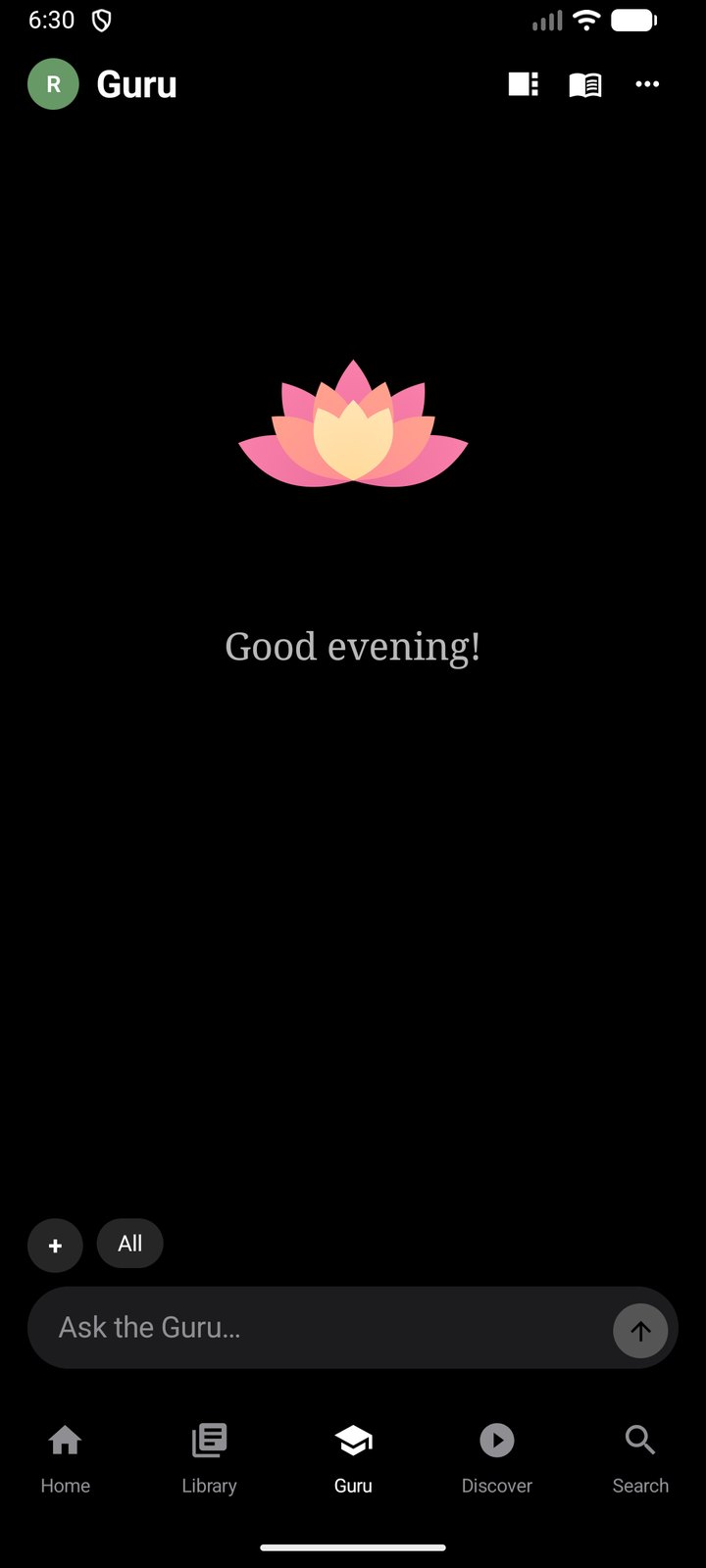
  • The GuruAsk a question and get answers built from passages in the source texts, grouped by book.
  • Five tabs, each with its own historyLeave Library three screens deep and come back to the same spot.
  • ReadersA Gita verse reader with chanted audio, plus one general reader that opens any book in the library.
  • Everything around itPlaylists with mosaic covers, notes, profiles, email sign-in, push notifications and a home-screen widget.
Nalanda Android Guru tab with a lotus, the greeting Good evening, and an Ask the Guru box
Guru. Ask a question in plain English and get answers drawn from the texts.
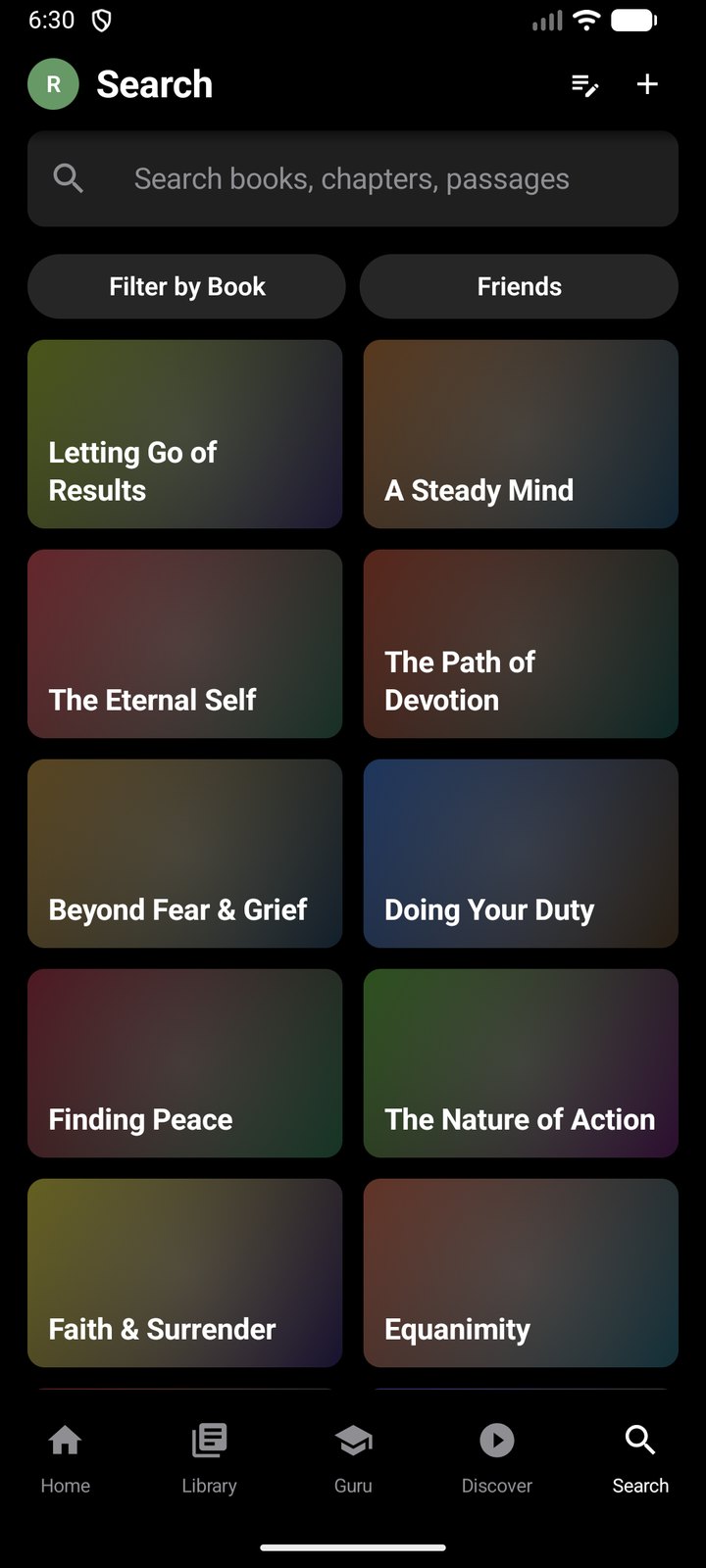
Nalanda Android Search tab with a grid of themes such as Letting Go of Results and A Steady Mind
Search by theme. Browse ideas like "Letting Go of Results" or "Equanimity" instead of chapter numbers.
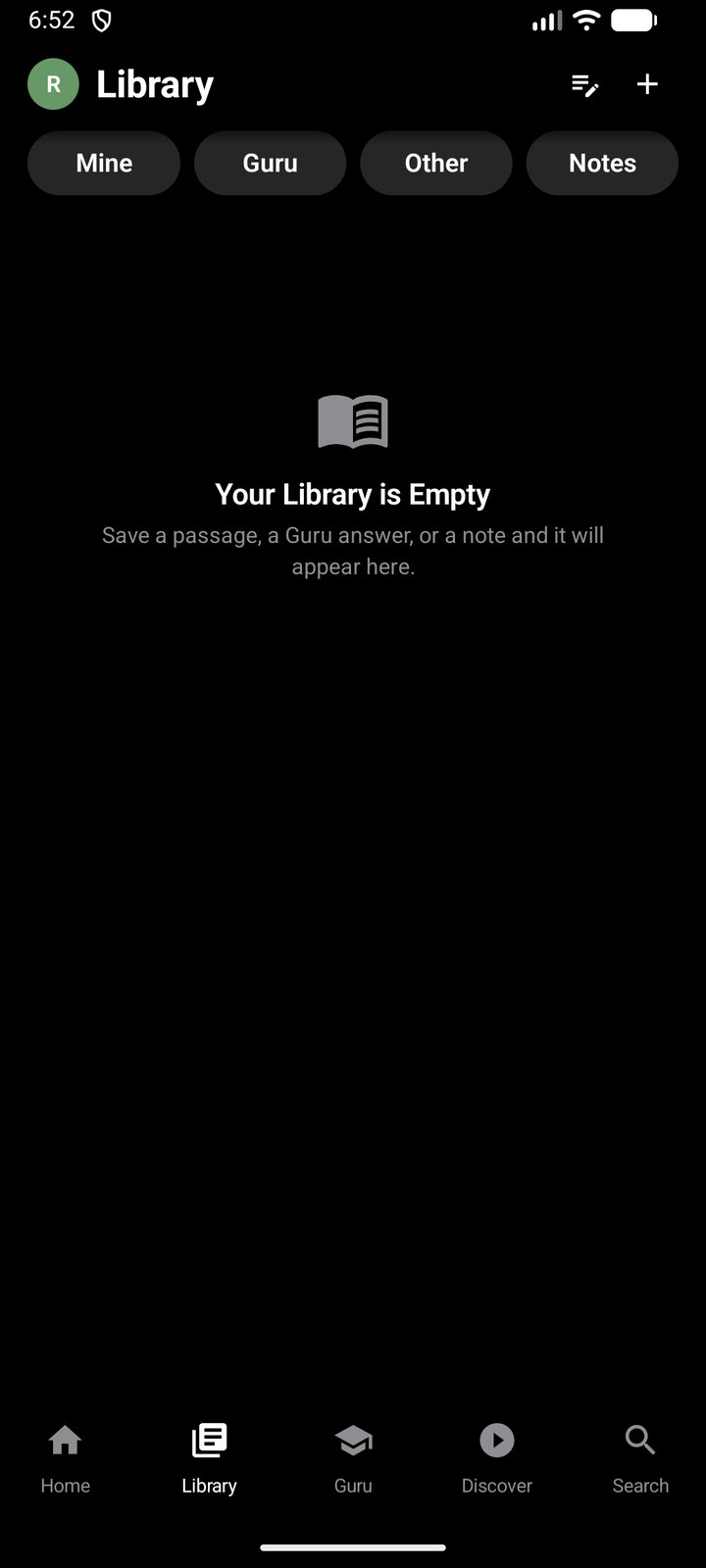
Nalanda Android Library tab with Mine, Guru, Other and Notes filters
Library. Filters for your own items, saved Guru answers, other saves and notes.
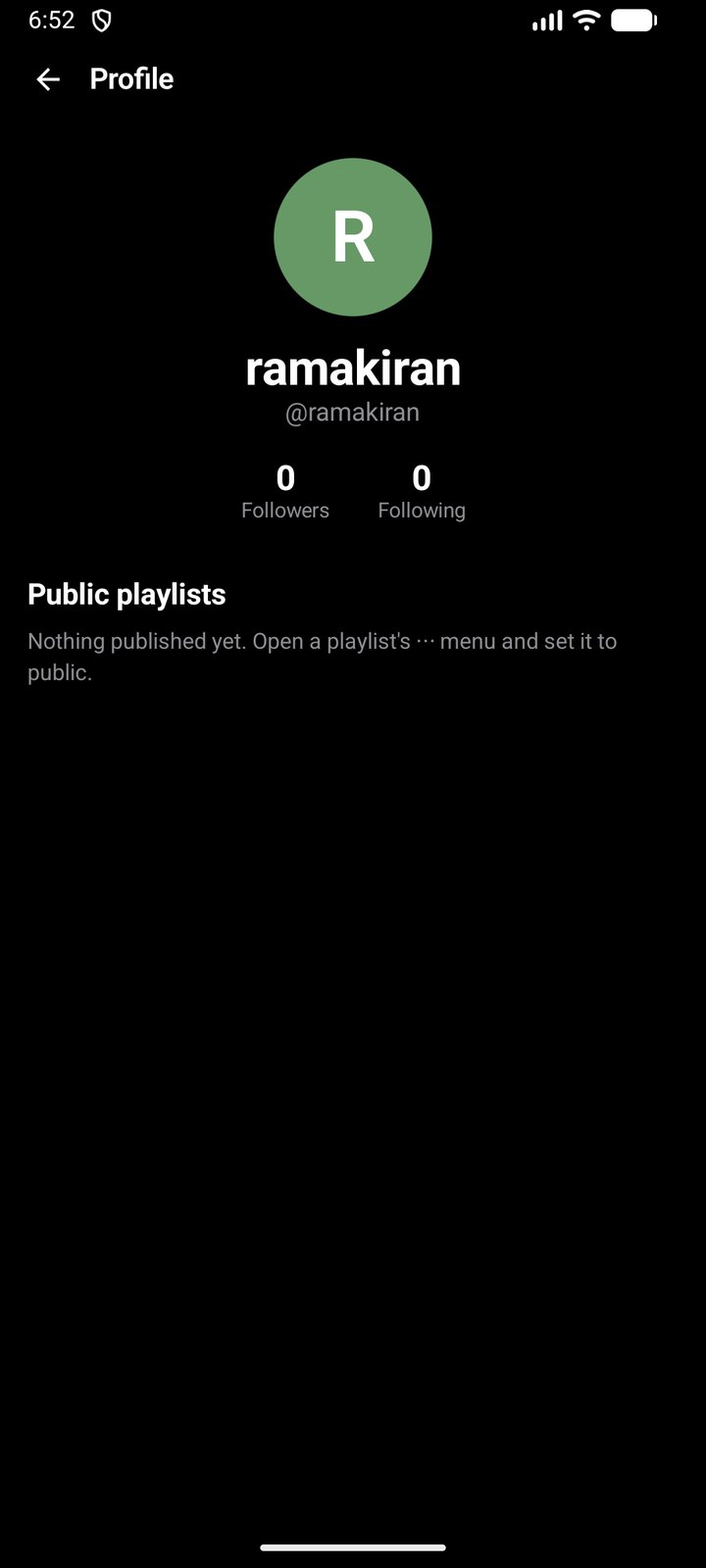
Nalanda Android profile page with followers, following and public playlists
Profile. Followers, following, and the playlists you've made public.

Bugs I only found by running it

The code compiled cleanly, but running it on a real emulator turned up five bugs. Four of them would have been hard to catch in code review alone.

  1. Answers lost on tab switch. A Guru answer takes two round trips. Switching tabs mid-question cancelled it and left the question with no answer. I moved the request to a store that outlives the screen, and ran the two searches in parallel, which halved the wait.
  2. Compressed responses arriving raw. Setting the gzip header by hand stopped OkHttp from unzipping large responses. Small reads worked and big ones came back garbled. This was what broke the Guru's library results.
  3. Network call on the main thread. Closing an HTTP/2 response sends a frame, so closing it on the wrong thread crashed. I changed the HTTP helper to return plain values, which ruled the mistake out at all 17 call sites.
  4. A negative color hue. Kotlin's hash returns a signed number where Swift's is unsigned, so some theme colors got a negative hue and crashed the Search tab. I fixed it and added a unit test over 100,000 keys.
  5. Missing screen-capture permission. The screen-capture guard crashed on the first frame. I added the permission and made the guard fail safely instead of crashing.
Desktop · Electron

A study desk for the Gita

The desktop app is a focused study tool for the Bhagavad Gita. Each verse is layered: the Sanskrit, a romanized version and word-by-word breakdown, an English translation, and two commentaries. Every layer has its own recorded audio.

The desktop app reading verse 1.1, with the commentary playing and the DJ visualizer rippling in green on a blue side panel
Reading and listening. Verse 1.1 in Sanskrit, English and commentary. The DJ ring on the right ripples with the recording; each layer has its own colors.
Verse 1.1 with names like Dhritarashtra, Sanjaya and Kurukshetra highlighted in yellow
Dictionary. Turn it on and names like Dhritarashtra, Sanjaya and Kurukshetra light up. Click one for an illustrated page with a recorded narration.
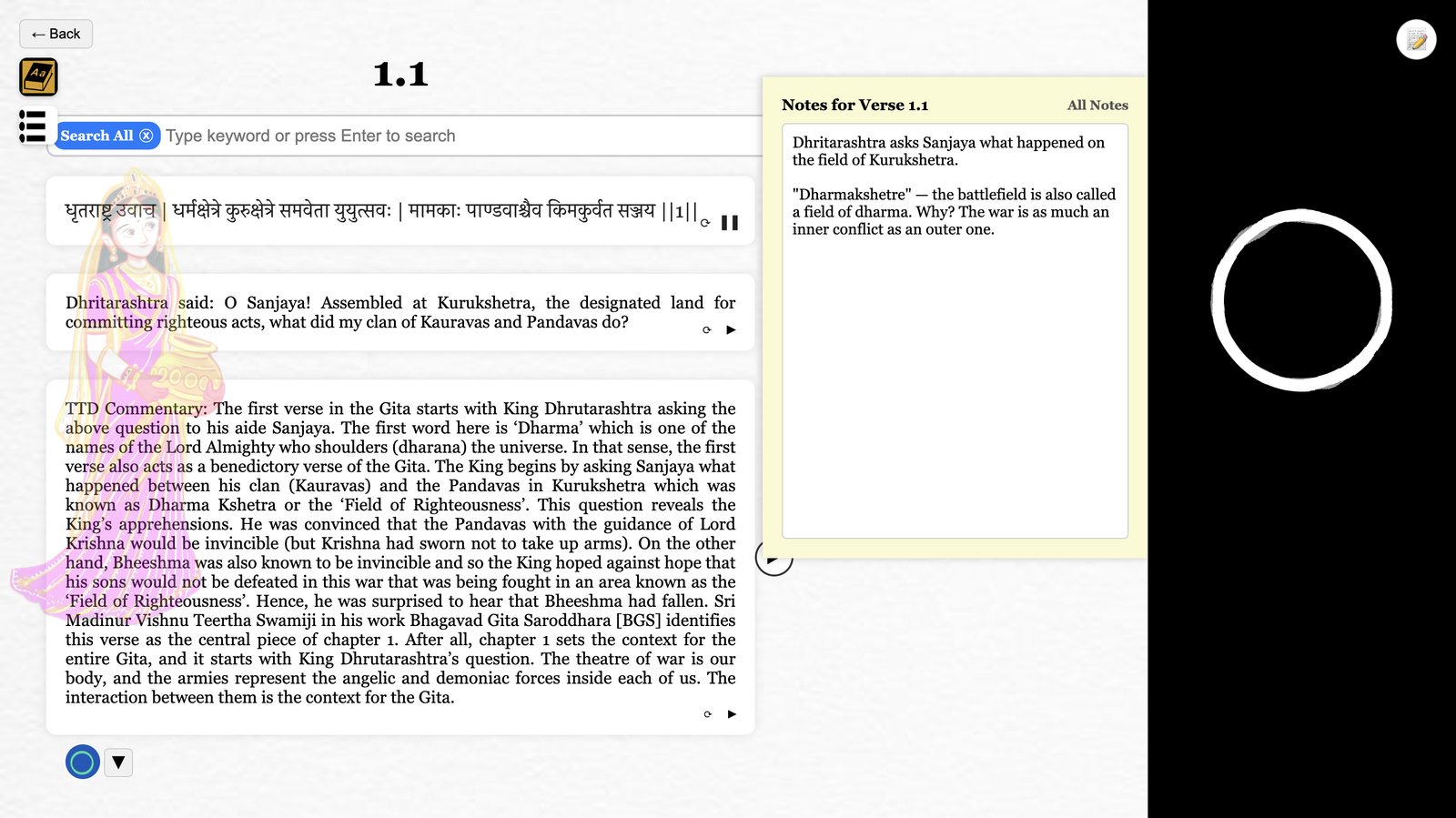
Notes panel and DJ panel open together beside verse 1.1
Notes. A notepad beside the verse that saves as you type, open here next to the DJ.
What's next

There's still a long way to go

Nalanda is live on the iPhone. Here's where it's headed, and where each version stands today.

Every device, always in synciPhone, Android, desktop and the web, with your library syncing across all of them through the cloud.
Every countryAvailable worldwide within the next six months.
The largest collection of Eastern textsMore books than anywhere else, all searchable by meaning.
Live on the App Store

iOS app

SwiftUI · launched October 2026

The full product: ask a question and get the passage from an ancient text that answers it.

  • Source texts digitized with my own OCR pipeline
  • Retrieval search over passages, with a behavioral recommendation engine that ranks passages across every text by what people actually read
  • App Attest protects the content API
Swift · SwiftUI · Supabase · Postgres · Edge Functions
Working · pre-release

Android app

Kotlin · native port, 2026

A native rewrite of the iOS app that runs end to end on the Android emulator.

  • All five tabs, the readers, playlists, notes, sign-in and push notifications
  • Google Play Integrity on the server side, mirroring iOS App Attest
  • Next: Play Console setup and an internal testing track
Kotlin · Jetpack Compose · OkHttp · Media3 · Supabase
Prototype · Chapter 1

Desktop app

Electron · Chapter 1

A Bhagavad Gita study desk with layered verses, recorded audio and notes.

  • Verse layers, recorded audio and the DJ visualizer
  • Dictionary, filtered search and the notes library
  • Next: the remaining chapters, reading streaks and playlists
Electron · HTML/CSS/JavaScript · Web Audio API · SVG filters
  1. 2025Started as a desktop Gita app in Electron
  2. Aug 2026Android port runs end to end
  3. Oct 3, 2026Nalanda launches on the App Store
  4. NextEvery device and every country
Under the hood

How it's built

Desktop

ElectronHTML / CSS / JavaScriptWeb Audio APISVG filterslocalStorageJSON verse data

Android

KotlinJetpack ComposeOkHttpMedia3Glance widgetFCM pushPlay Integrity

Backend & iOS

Swift / SwiftUISupabasePostgresEdge Functions (Deno)App AttestRAG search

Want to try it?

Nalanda is on the App Store for iPhone. If you'd like a demo of the desktop or Android builds, send me an email.